Nothing Changes if Nothing Changes
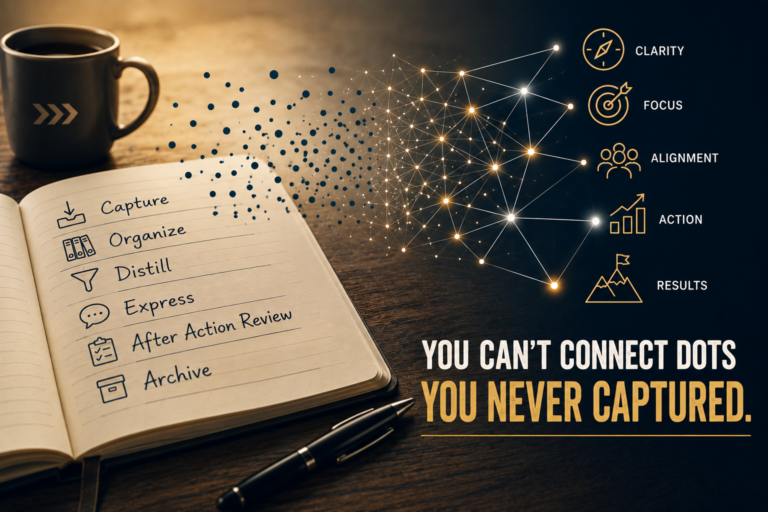
This is the sixth, and final, entry in the CODEA² series, and Capture, Organize, Distill, and Express each earned their own full focus. I batched After-Action Review (AAR) and Archive into one review because both can be unnecessary in the knowledge management workflow. But you need to have them as a process to insert when the right conditions are met, or you’ll repeat mistakes or keep the wrong information…or keep it all making your Organize step even more important. Let’s unpack what, when, and a little bit of how, you’d want to AAR the process in context of the information, or your selection criteria for what to keep on the shelf for later use.
After Action Review
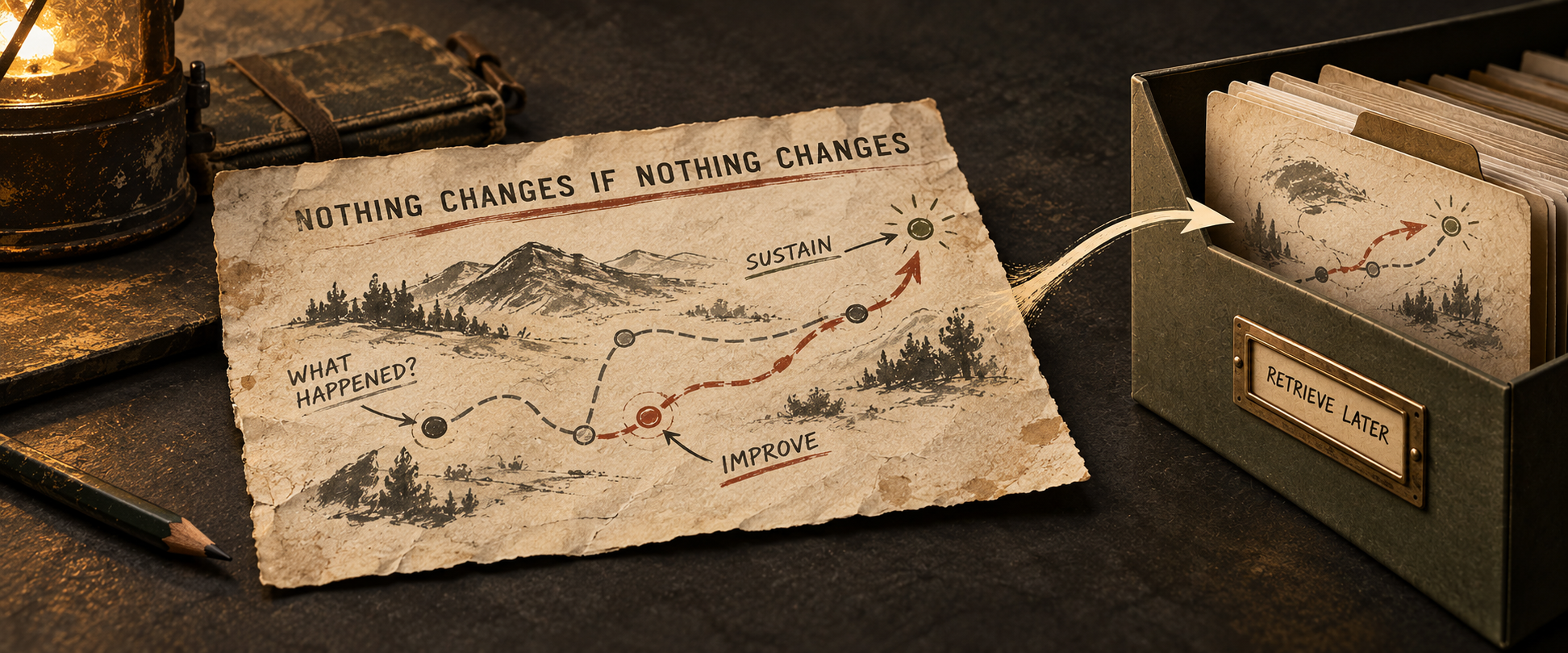
Anyone who has served in the military has heard of, and probably participated in, an After-Action Review. The basic form of an AAR masks its elegant, yet powerful, value. An AAR asks these questions, not seeking to fix blame but to sustain what worked, and improve on what didn’t:
- What was supposed to happen?
- What actually happened?
- Why was there a difference?
- What should be done differently the next time (Improve)? And what should be kept because it worked (Sustain)?
But don’t think an AAR is warranted for each instance you implement your knowledge management workflow. A simple trigger for when you might want to go through the AAR process is something standing out, positively or negatively, during the CODE portion of the workflow. If you want to pare it down further, take a hard look at the Express phase: did the information, as presented, get you the desired outcome? Maybe you got the results needed, and something else was achieved that bears adding to your best practices ledger.
I’ll share an example of how an AAR can optimize the CODEA² process that isn’t the Express step. I have switched my core note taking system to reside in Obsidian. While the Obsidian vault I use for Be Know Do work is synched across all my devices, I have a home base desktop I use for 90% of work when I’m not in travel mode. I tinkered with a Kindle Scribe for writing down ideas or concept drawings for a portion of the remaining 10%. When I lost the Scribe, I decided to reassess the whole Capture step, not just idea or concept capture. I truly was enjoying the tactile feel of handwriting, an unexpected development.
Another benefit of increasing handwriting as my Capture method was that I kept mental pace of the idea flows, and the visualization was way simpler. But the Scribe’s method for getting non-proprietary content out and into other tools was (is) janky. To counter this, I purchased a hybrid writing tablet that uses Android 15, not the Scribe’s proprietary operating system. I installed Obsidian on it, thinking at least I could pull up the work from my desktop onto the writing tablet…it did that, and more.
I looked into Obsidian plug-ins that supported drawing, for my concept mapping. Most have a steep learning curve on their own, and all have file-format challenges just like the Scribe. Then I found a plug-in that let me annotate onto PDFs via a pen stylus, letting me stay within the Obsidian environment (no app switching needed). The AI tools I use to help Distill information can all use/read the PDF format. It was a simple thing then to create a bunch of note templates for various scenarios like a blank SWOT matrix, or a morning journal, to-do list, and others. This flow fits me really well, to the point I’m excited to start my day jotting down in my daily journal then shifting to going over my rolling to-do list.
Archive
I’m partial to initially embedding an Archive folder in each of my Areas under the PARA method of folder organization. I do a monthly(ish) scrub of those archive subfolders and move stale content to the “big A” of PARA, Archive. But…what are you keeping and what is no longer needed?
The truth is you can probably keep everything and still have storage left over. So no need to agonize over what, but the digital pack rat mode makes organization and retrieval workflows critical. Maybe you store things by file function. This isn’t a “PDFs here, Markdown there” sorting but what the file represents. A couple of standard buckets I have are Templates, Ideas, Reports, Major Projects, and others. Ask what future-you will need to pull back up later, and create the buckets around those answers. Perhaps underneath those major headings are folders by the year.
My direct advice? Everything, and I mean everything, resides in the cloud. Remember that cloud services require you to think through version control a bit. Second, create a regular backup of your digital files separate from the cloud as a snapshot of your information you can restore. You don’t need an SSD drive for this, and a 2T HDD is less than $80. You’ll only need something bigger if you are creating things like videos, live recording events, or have very heavy media use in general. You’ll need backup software that runs automatically for you; find a free program like SyncBackFree, set it and forget it.
As far as organizing the content in the Archive folders, new developments in AI let you pass this task off to it, and it can also retrieve via a simple search. Each of the four major AI tools out there, ChatGPT, Claude, Copilot and Gemini, can read your files locally to varying degrees. Both Claude and ChatGPT can organize the files, then create a master index file to hyperlink to the subfolders.
Closing the CODEA² Cycle
AAR and Archive are one question asked twice: now that this has been used, what do I do with it? AAR asks it of the process. And Archive asks it of the artifact or file. You won’t use AARs on your process often, but they can be a game-changer so don’t discount them. For Archive: if you can’t retrieve it later, get ready to start over.
That’s a wrap on the whole series, really. Capture gets it out of your head. Organize gives it a home. Distill cuts it to what the decision needs. Express matches delivery to purpose. AAR checks whether it worked. Archive decides what earns a second life. Build the discipline as you implement CODEA² now. It saves you a ton of heartache later.
We Need More Cowbell!
A less-structured content framework will help me get information out more quickly, and more in line with my thinking at the time. Both the LinkedIn and Facebook pages for Be Know Do get sporadic views, and I think it’s because folks tuned out when I didn’t publish regularly. And, honestly, who gets excited or challenged by an information capture workflow?